Posts Tagged: tech_processing.org
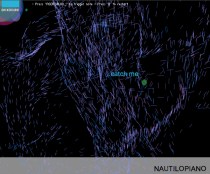
NAUTILOPIANO: Sound Drawing Interface
> go to see nautilopiano Instruction: Click and drag mouse, and press keyboard keys “a,s,d,f,g,h,j,k,l,;” to create sounds. Press ‘q’ to restart. For a different background option, press “background” button. ——————- Built with Processing. >>> nautilopiano performance nautilopiano_firstVersion_UML_diagram nautilopiano_revisedVersion_UML_diagram ——————————————————
NAUTILOPIANO: Sound Drawing Interface
> go to see nautilopiano Instruction: Click and drag mouse, and press keyboard keys “a,s,d,f,g,h,j,k,l,;” to create sounds. Press ‘q’ to restart. For a different background option, press “background” button. ——————- Built with Processing. >>> nautilopiano performance nautilopiano_firstVersion_UML_diagram nautilopiano_revisedVersion_UML_diagram ——————————————————
sound clock; t1k t0k
> about 3:23pm; go to see sound clock Oct. 5, 2010 Suk Kyoung Choi ———————– Display the progress of time in a non-traditional way. A visual clock of seconds, minutes, and hours with abstract noise/scratch. INSTRUCTION: Try to move or
sound clock; t1k t0k
> about 3:23pm; go to see sound clock Oct. 5, 2010 Suk Kyoung Choi ———————– Display the progress of time in a non-traditional way. A visual clock of seconds, minutes, and hours with abstract noise/scratch. INSTRUCTION: Try to move or
Pulse – System Diagram

————————————————————————————————-
see.saw conceptual code
The code required for (see.saw) runs something like this: visual part > track finger position as CCV (formerly known as tbeta) events > output TUIO data > input to Processing > use cursor position to invoke collections of particles and
see.saw conceptual code
The code required for (see.saw) runs something like this: visual part > track finger position as CCV (formerly known as tbeta) events > output TUIO data > input to Processing > use cursor position to invoke collections of particles and
 Suk Kyoung Choi